Glaive was a synthetic data company built around a simple premise: fine-tuning LLMs is powerful, but getting high-quality training data is hard. We let customers describe what they needed and generated custom datasets for them. These datasets could then be used to fine-tune models.
Why synthetic data? Training high-quality AI models requires thousands or millions of examples. Most companies don't have that data sitting around, and hiring people to create it manually is slow and expensive. Synthetic data generation solves this by using LLMs to create realistic training examples at scale.
As the founding engineer, I deployed and built the entire platform—product interfaces, billing, auth, and the infrastructure that powered data generation. While the infrastructure to generate millions of rows of data was its own challenge (see Batch Inference API), our major challenge with the platform was making the process of describing your task data easy enough to accomplish in a single session while also deep enough to describe complex tasks. To understand why this was hard, you need to know the workflow a user would go through to create a dataset/model.
How it worked
- Describe the kind of task your model would be performing
- Build a prompt and response schema
- Add data sources (aka any existing data you might have)
- Refine keywords/knowledge
- Generate example rows to make sure everything works (Can repeat 1-5 here)
- Generate as many rows as you need
- Fine-tune your choice of model
- Analyze the dataset/model and iterate by repeating 1-8.
Demo Video
This is quite a long process and we built many interfaces to try and streamline the workflow as much as possible.
For simple tasks we had presets that could be edited.
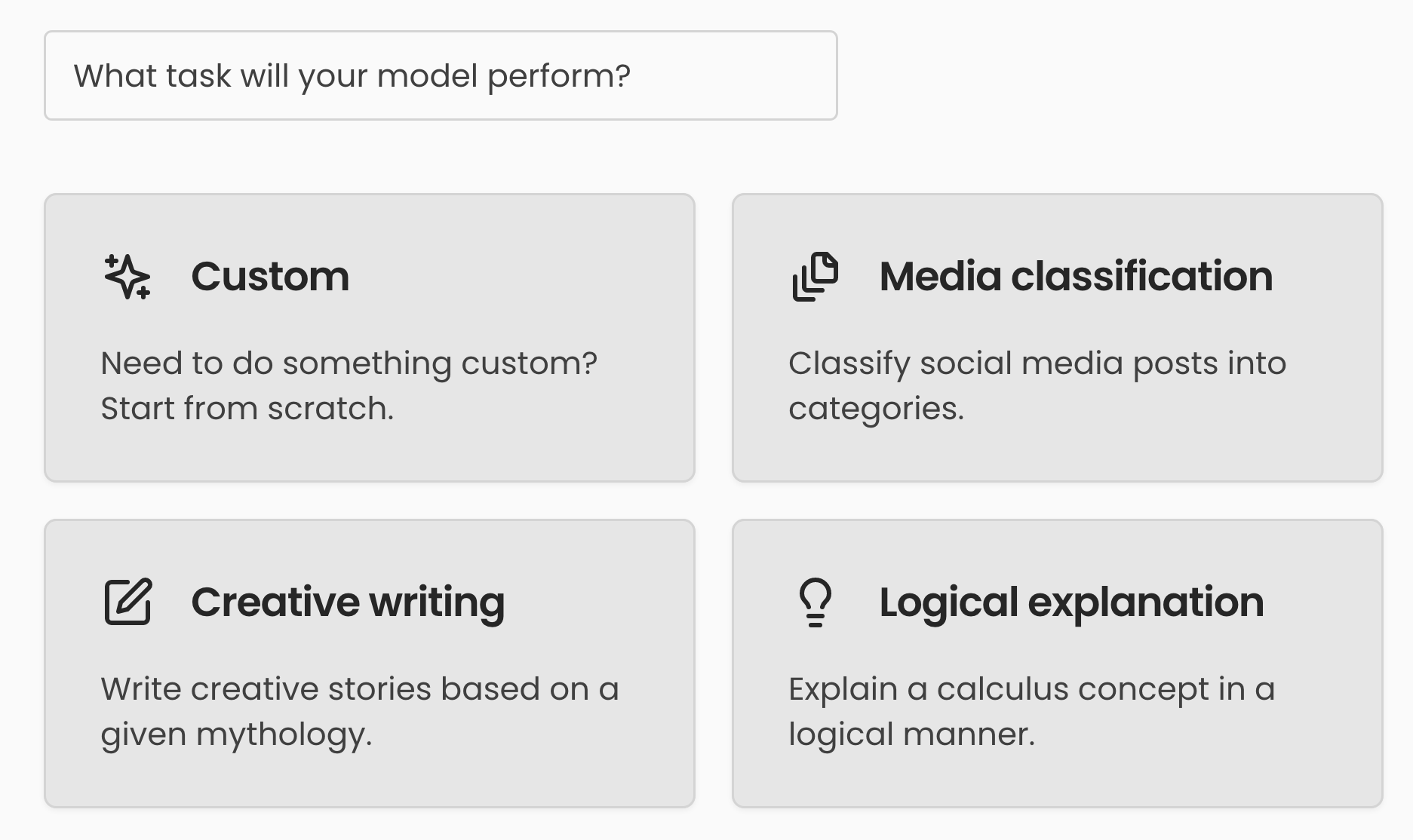
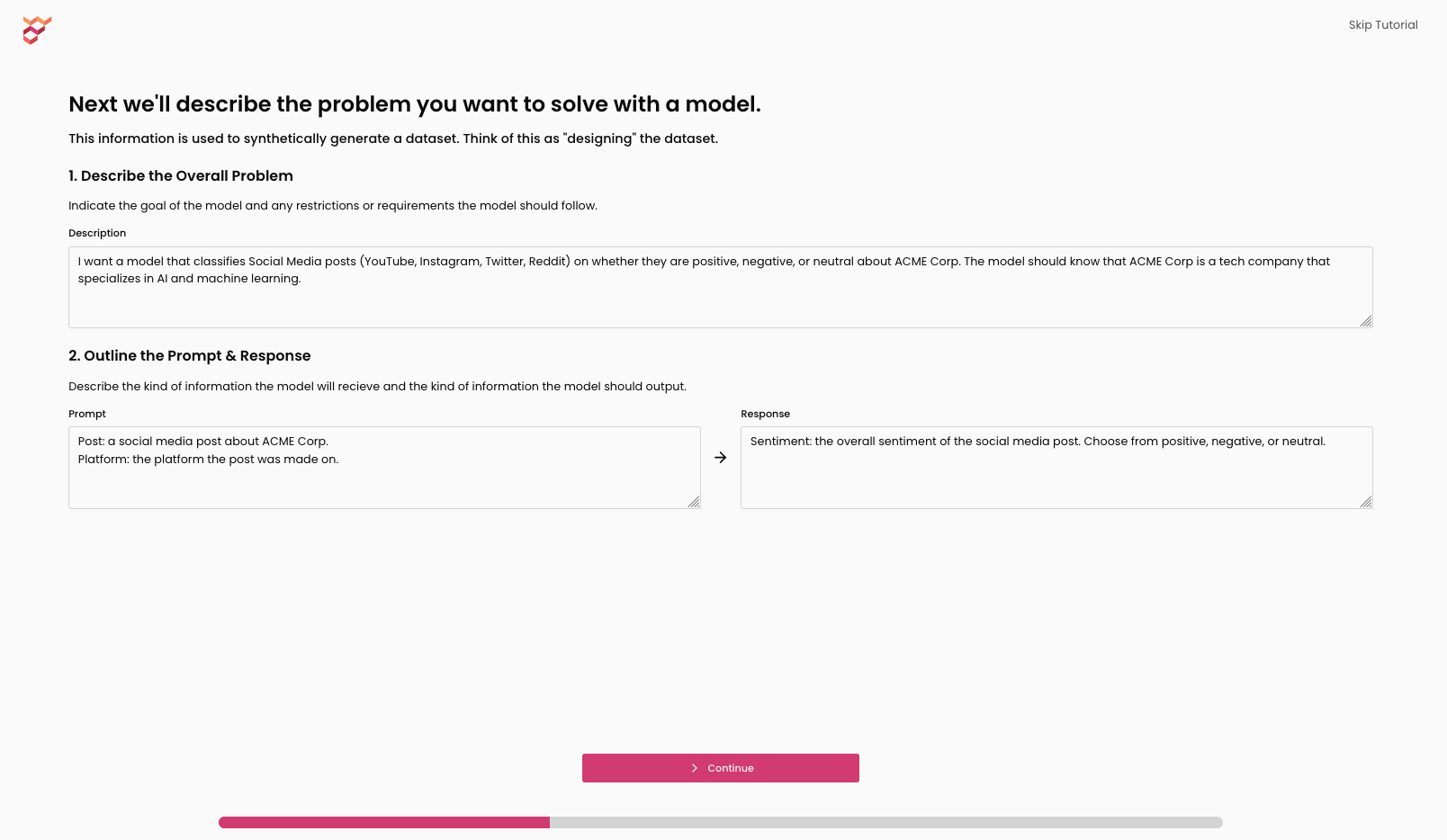 Editable preset
These provided basic templates for new users with simple tasks. For more complex tasks we had the full Dataset Schema Editor.
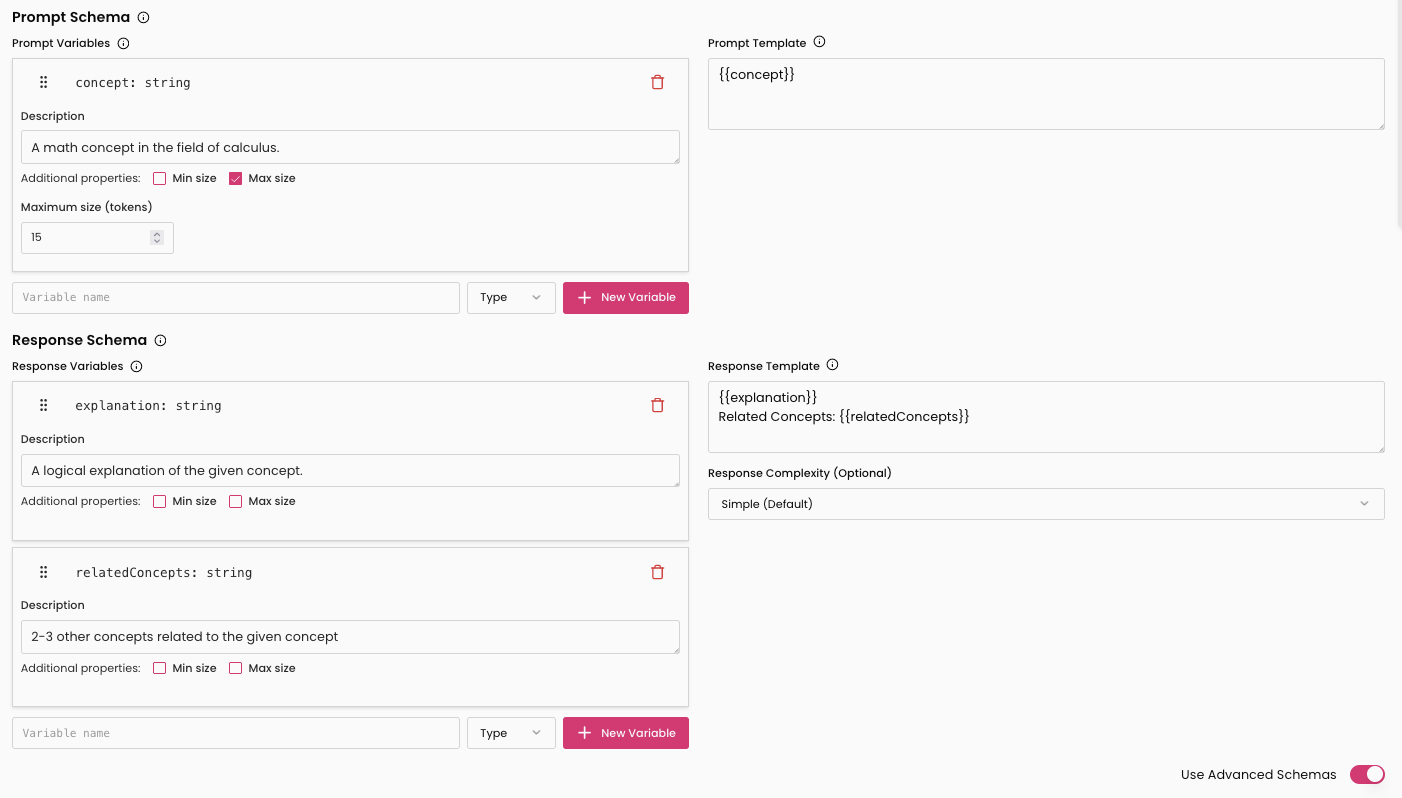 The schema editor where customers defined their dataset specifications.
While these UIs helped "shape the data" there were two ways to add more information into the training set (beyond the knowledge baked into the LLMs generating the data).
First was keyphrases/keywords which we called knowledge. Based on your use-case we would generate these but if your model was failing in a particular area these were a great way to fill gaps.
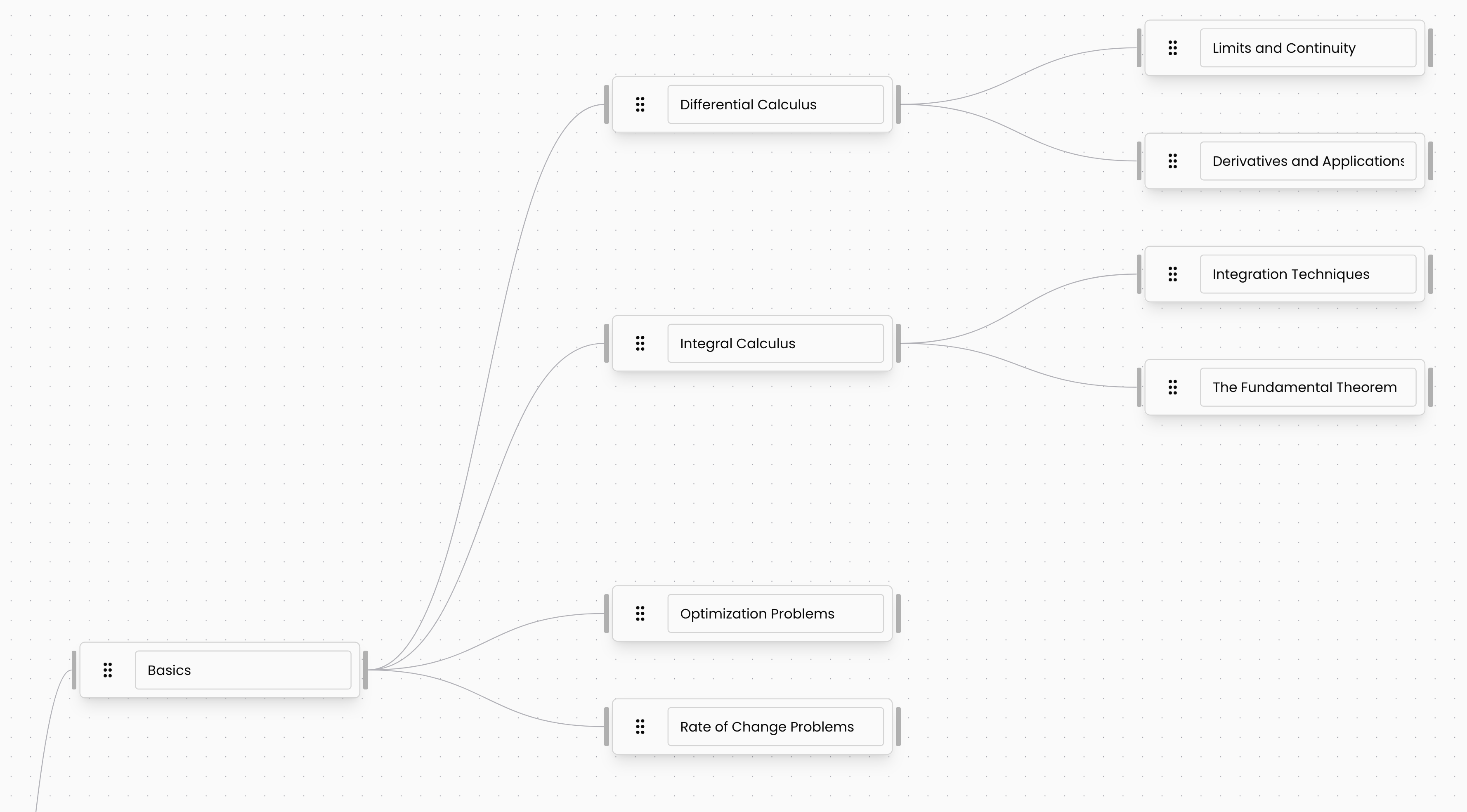 Node based UI for editing knowledge.
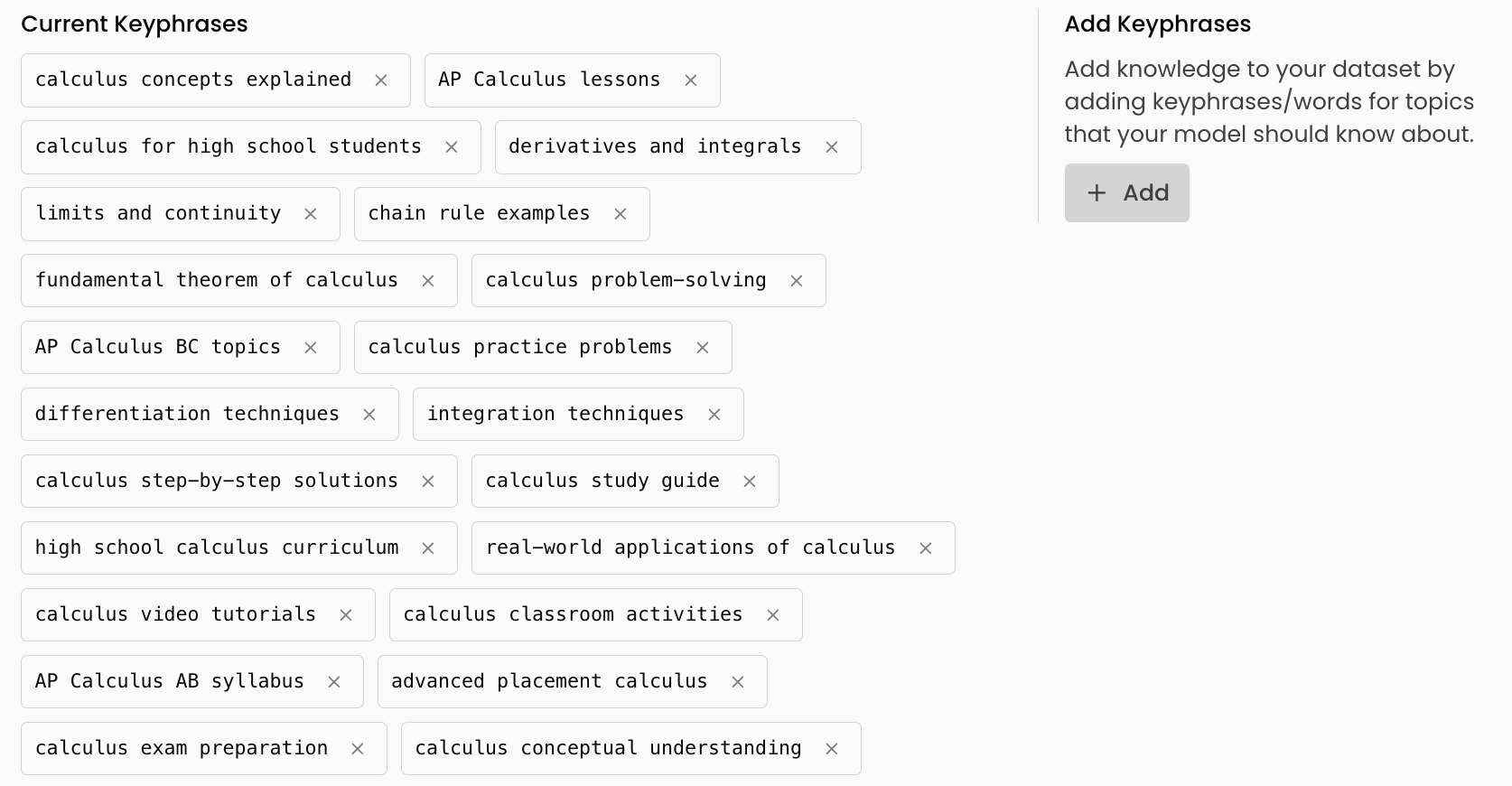 Simple list for editing knowledge.
Second were data sources, where users could upload whatever files/code/existing training data they liked and it would be automatically used to help generate better rows.
Finally, once the shape of the data and the knowledge it needed was known we could generate previews of the rows. This was critical as it let users iterate before thousands of rows were generated and it was immensely helpful for closing the feedback loop of editing schemas or knowledge. Once the user was happy with the example data we could send everything off to the inference engine to be turned into a dataset.
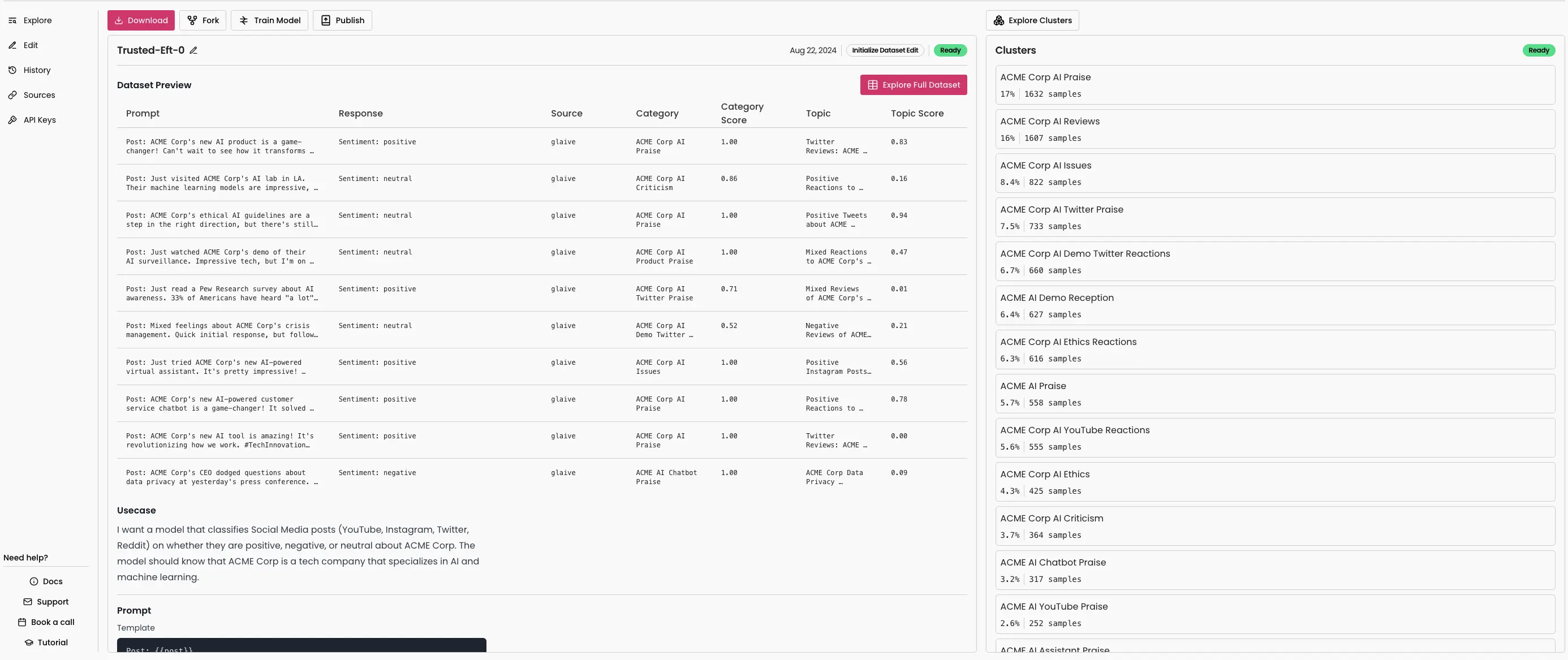
After the dataset was generated it was important to be able to view and analyze the data and to this end we built a DuckDB based viewer that could handle any small datasets directly in the browser. Furthermore, we clustered all datasets based on the provided knowledge to help understand the distribution of training data. This would let people iterate on datasets before the more expensive process of fine-tuning.
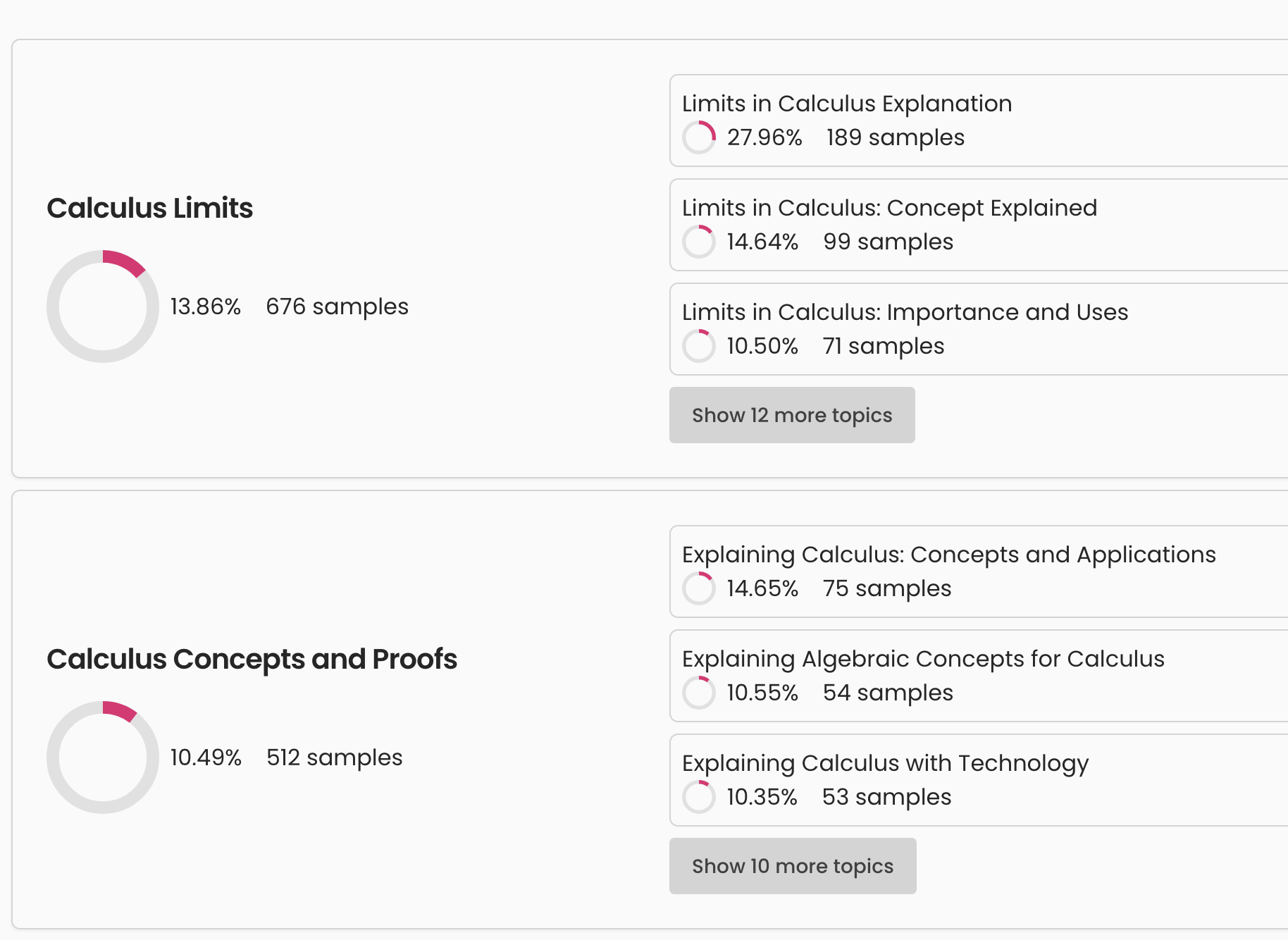 Dataset cluster analytics.
Of course since the goal was to iterate all datasets were fully versioned and we supported incremental edits to adjust datasets without having to fully regenerate them. Edits were essentially limited versions of a full generation and included adding or removing knowledge or changing the schema, but had customized UIs to make the process easier.
A couple of other notable features were the ability to publish datasets publicly and then others could fork it into their own account. You could also fork off of existing datasets in your account and start editing from there.
Behind the interfaces there was a lot of infrastructure to process large datasets. We used Temporal for workflow orchestration which let us handle the long-running nature of the product with ease. Managing versioned worker deployments became painful enough that I built a separate system for it (see Temporal Workers Union). We also needed to be able to generate thousands to millions of rows of data efficiently and sometimes quickly. The first generation pipeline used a single inference provider. It worked, but it was slow and expensive. I rebuilt it as a distributed system orchestrating GPU workloads across multiple cloud providers—see the Batch Inference API project for details.